Friday, September 9, 2016

#JOGL Cubes with Vertex Arrays

Here is a simple program to draw a cube with vertex arrays that is shared as a demo program by the author David J Eck in his site of Hogwarts and William Smith college.

I am sharing this program as is and all copyrights rest with the original author.

Snapshot:


Here is the source.

#JOGL Program to create and apply a one dimensional texture on a cube

In this program I am applying a one dimensional texture on a cube.

Snapshot:


Here is  the source.

#JOGL Applying texture to polygon created from a byte array

Here I am applying a texture to the polygon after creating the texture from a byte buffer. A variety of textures can be created this way.

Snapshot:


Here is the source. A few modifications to this program allows you to create different textures by just changing the formula. Here is the same program with variety of textures mentioned as formulas.

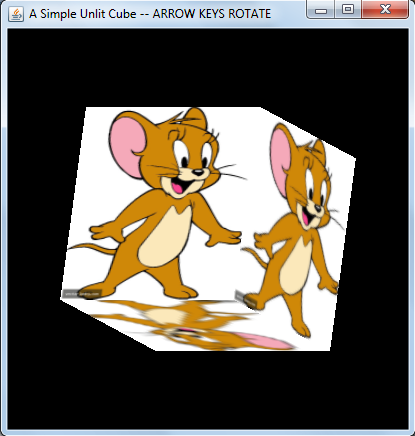
#JOGL A simple program to apply a texture to cube faces and rotate the cube

This program not only texture is applied to a cube but the cube is made to rotate on pressing the arrow keys.

Snapshot:


Here is the code.

#JOGL A simple program to apply texture(image) to a polygon

A simple program in Java bindings for OpenGL where I apply a texture to a square(polygon). The texture is imported from an image file. The image is of a cartoon character Jerry whom i like very much. I like other characters too like tom and the dog.

Snapshot:


Here is the code.

#JOGL A simple Paddle Wheel

In this program, which the author David J Eck describes as a simple 3D program(chapter: Geometry) in his graphics book, a paddle wheel is being drawn. We can define a polygon in the x-y plane above the x axis and rotate it wrt the x axis each time with varying angles. Then to get a 3D look we tilt the paddle wheel by rotating about y axis.

Snapshot:


Here is the source.

#JOGL Simple program to draw a triangle using a display list

In this simple program a triangle is being drawn using a display list. The display list is identified by an integer. The integer is generated by call to glGenLists(). Then calls to glNewList() and glEndList() defines the list. Finally a call of glCallList() is made to draw whatever has been defined in the display list.
Snapshot:
Here is the source.